Latest Blogs

Stay updated with the latest events and happenings

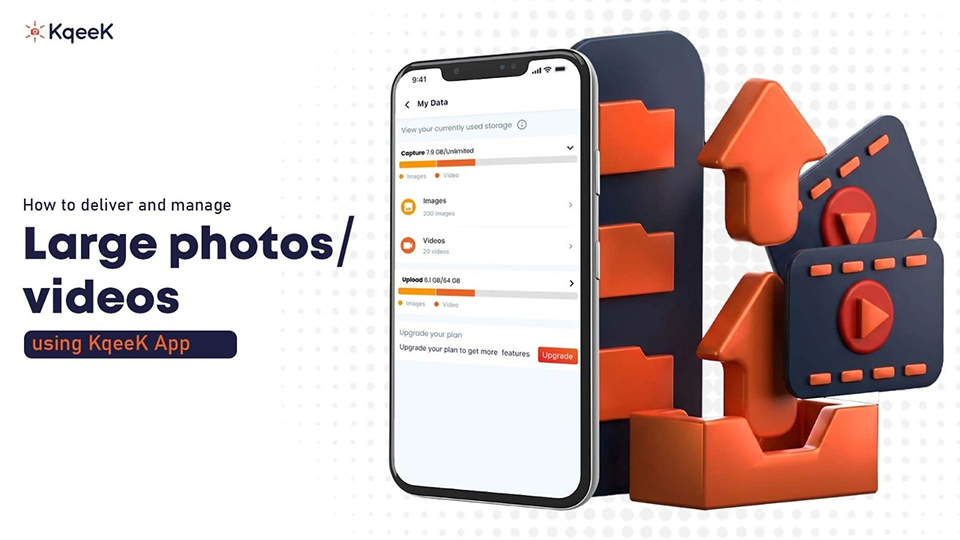
How to deliver and manage large photos/videos using KqeeK App
May 5, 2026

How to deliver and manage large photos/videos using KqeeK App

Sharing large photos and videos should be simple, but anyone who deals with high-quality media knows the struggle. Files get compressed. Transfer limits get in the way. Links expire. And most cloud apps feel like they’re built for generic storage, not for creators who work with visuals every day. Here’s where the KqeeK cloud-based app comes in.

KqeeK is built for various uses, mainly to plan and create events, share media with friends, attend events, or conferences without losing quality. If you’re sending RAW photos, 4K videos, or full client albums, the app handles it without slowing you down.

Why sharing large media files is harder than it looks
Before jumping into KqeeK, it helps to understand why regular apps (email, WhatsApp, Google Drive, AirDrop, etc.) give you trouble. 

  • File size limits stop you from uploading big videos
  • Quality gets compressed on social apps
  • Cloud drives get messy fast
  • Downloading requires multiple steps

What makes KqeeK different
Most sharing apps treat every file the same. KqeeK is different because it is built for visual media management. The app focuses on:

  • Fast, secure photo and video delivery
  • Unlimited collections and albums
  • High-quality, uncompressed uploads
  • Easy viewing & collaborating
  • Smart AI Search tool
  • Privacy and access controls
  • QR Code Scan and share 

The idea is simple: upload once, share instantly, keep everything organized.

How to deliver large photos and videos using KqeeK

Share your QR Code to share

This is where KqeeK really shines. You can create a QR code for your event:

  1. Create an event 
    Invite your friends and family to the event, with whom you want to share your media.

  2. Upload your media
    Open the app and add your photos or videos. KqeeK doesn’t compress files, so your HD or 4K media stays intact.

  3. Create a collection or folder
    If you’re sending photos/ videos to a client, friend, or colleague, add them to your event. It keeps everything clean and makes essay for everyone.

  4. Share your QR Code to share
    This is where KqeeK really shines. You can create a QR code for your event:

    • Instant
    • Private
    • Password protected (optional)
    • Accessible on any device

    No login needed for the viewer

  5. Track and manage access
    You can update the link permissions anytime. If you want to disable access, remove someone, or add new files, it takes seconds. 

Whom KqeeK is perfect for?
A lot of people benefit from this type of platform, not just professionals

  1. Photographers
    Deliver RAW files, edited albums, previews, and event galleries.

  2. Videographers
    Share full HD and 4K videos without compression.

  3. Influencers & Content Creators
    Send footage to editors or brands and manage and keep updated with influencers.

  4. Agencies & Businesses
    Share campaign assets, product shoots, or marketing videos.

  5. Individuals
    Even for personal use: weddings, birthdays, travel albums, family videos.


Conclusion
If you're tired of sending large files the hard way, KqeeK makes the whole process feel effortless. You upload once, share instantly, and manage everything in one place. No compression, no limits, no confusion for your clients.

For photographers, videographers, creators, and even casual users, KqeeK is one of the best photo-sharing apps, with ways to deliver and organize high-quality photos and videos without worrying about size restrictions or clutter.

If you want a smooth workflow and stress-free media delivery, KqeeK photo sharing app is worth trying.

Read More
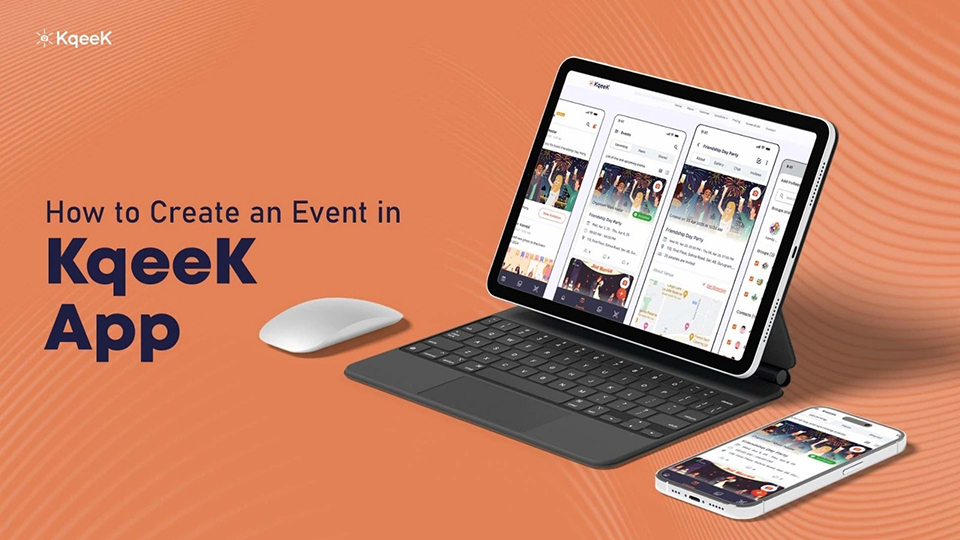
How to Create an Event in KqeeK App: Complete Guide
May 5, 2026

How to Create an Event in KqeeK App: Complete Guide

Planning a get‑together, a birthday bash, a wedding, or even a casual hangout can get messy when you juggle invites, photos, messages, and follow-ups across apps. What if there was a single place to manage all of its invites, media, updates, and more without the hassle? That’s where the KqeeK app steps in. It offers a unified, easy, and fun way to plan, share, and relive events without cluttering your phone or juggling dozens of chat threads. 

What is the KqeeK App?
KqeeK is a cloud‑based app built to simplify event planning and media sharing app. It combines event creation, invitations, RSVP tracking, photo/video sharing, and secure cloud storage into one smooth interface. With unlimited private events, attendee invites, media uploads, and more under its free plan, plus optional upgrades for added features, it’s designed to be accessible for personal get‑togethers as well as to organize events.

How to create an event on the KqeeK App

  1. Install and sign up
    First things first: download KqeeK from Google Play or the App Store. After installation, open the app and create your profile by filling in your basic details like name and adding a profile picture. A clean, recognisable profile helps your invitees trust and recognise you, especially if they receive the invite link directly.

  2. Create your event
    Once your profile is ready, tap on the “+ Icon to create an Event” option. Then fill in the core details:

    • Name of the event: (for example: “Rahul's 25th Birthday party” or “Hangout”)

    • Date and time: Add the date of your event, double‑check to avoid scheduling conflicts

    • Location: Add the location of the place where your hosting party or waana meet, or enter the full address

    • Description: Add useful info like dress code, theme, special instructions, or agenda

    • Add Event Picture: Add a picture for the event you're hosting

    That ensures everyone gets a clear picture of what to expect.

  3. Customize the event page to give it personality
    One of the things that makes KqeeK stand out is the ability to customise your event page. You can upload a cover photo, set a theme, and tailor the page’s look and feel so it aligns with the vibe of your event. A visually appealing event page helps create excitement and makes the invite feel more real.

  4. Invite your guests
    After creating the event, you get the option of inviting guests and friends. KqeeK lets you import contacts directly or add people manually. You can also share a unique event link so people outside your contact list can join. Once invited, attendees can RSVP, and you’ll be able to track responses, no need for manual follow‑ups.

  5. Share updates or changes effortlessly
    Things often change, maybe the time shifts, or the venue gets updated, or you add a surprise element. KqeeK allows you to post updates or announcements directly on the event page so all invitees get notified. Keeps everyone on the same page with zero confusion.

  6. Capture and share memories all in one place
    During and after the event, attendees can upload photos and videos directly to the event. Because KqeeK stores everything in the cloud, you don’t have to worry about filling up device memory. Once uploaded, the content is organised, and you can revisit the event gallery anytime.

  7. After the event: manage, revisit, or share
    After the last guest leaves, the event isn’t over. With KqeeK, you can download shared media, send thank-you messages, or even compile a recap album of the day. It’s a clean way to archive memories and stay connected.


Mistakes to Avoid When Creating an Event

  • Not filling out the full venue or address details leads to confusion for attendees.

  • Uploading low-resolution images doesn’t ruin memories with blurry pics.

  • Forgetting to send reminders or updates, especially if details change.


Conclusion
Creating an event using KqeeK is straightforward, intuitive, and user-friendly, whether you’re planning something low-key with friends or a more organised gathering. Once you follow the steps above, you end up with a neat event page, guest list, live gallery, and a full memory archive. Give it a try next time you plan something and enjoy keeping the memories alive without the logistical headache. Get the KqeeK event planning app and create your first event. 

Read More
Why Cloud Storage Is Essential for Event Planning
May 5, 2026

Why Cloud Storage Is Essential for Event Planning

Planning an event, whether it’s a wedding, birthday party, or corporate meetup, involves juggling a dozen moving parts: guest lists, vendor contracts, venue details, schedules, media (photos/videos), and communication. If you rely on local storage (desktop, USB drives, phone galleries), you risk losing files, dealing with version control nightmares, and scrambling when someone needs access from elsewhere. What you need is a single, reliable place where everything lives, is accessible, and stays safe. This is possible with the KqeeK Best Photo Sharing & Event Planning App.

Cloud storage: A quick refresher
Cloud storage means storing your photos and videos not on your device but on remote servers managed by a provider. You upload your media on the app, and it directly saves to the cloud, and you can access it anytime via the application, from any device. If something happens to your phone or laptop, your data remains safe and accessible just need to log in to your account through any device. 


Why event planners need KqeeK cloud storage

  1. Anytime, anywhere access through the App 
    With cloud storage, you and your team can access events, guest lists, vendor contracts or media files from anywhere. Whether you're at the venue, travelling, or meeting with clients, nothing stays locked to a single device.

  2. Reliable backup 
    Whether your physical devices get lost, stolen, or damaged. Hard drives fail. When your files are only local, a single mishap could ruin weeks of planning. KqeeK application provides a cloud storage solution with a free plan that takes care of backups, redundancy, and safe storage, protecting you from data loss. Even though for event planning, where you often deal with a large amount of photos and videos, losing data isn’t just inconvenient, it can be costly.

  3. Easy sharing and collaboration
    Working with multiple people, friends, or guests becomes much easier when everyone can access the same files from a platform. KqeeK cloud storage makes sharing large files or collaborating with friends simple.

  4. Scalability
    You don’t know in advance how much media you’ll generate. Cloud storage scales with your needs. You only need to pay for extra storage (that provides advanced features and extra space). That means whether it's a small dinner or a big conference, cloud storage adapts without restructuring your storage setup.

  5. Efficient media management storing
    Events generate a lot of media: high-resolution photos & videos. Cloud storage handles all formats; everything’s organized in one place, easy to retrieve, download, or share. For media-heavy events, that’s a big win. 

  6. Cost-efficiency & resource savings
    Compared to managing physical servers or buying multiple storage devices, cloud storage is often more cost-effective. You don’t need to invest in devices to manage storage. Especially for a small group of friends, this directly helps you to access your media storage all in one place.


Conclusion
If you want event planning that runs smoothly from idea to execution to memories after, KqeeK offers cloud storage that is more than an app. It’s essential. It gives you peace of mind: you know your media are safe, accessible, and shareable. You save time, avoid chaos, and give yourself the flexibility to plan, collaborate, and deliver. Whether you’re organising an event or joining one, cloud storage keeps your data safe and secure. 

Read More